Statistics
Statistics shows each site’s visitors, the pages they read and where they came from. It works on every site from the day it is created, including sites you just migrated: it reads the server’s access logs, so nobody installs a script and visitors see no cookie banner. Figures update every ten minutes.
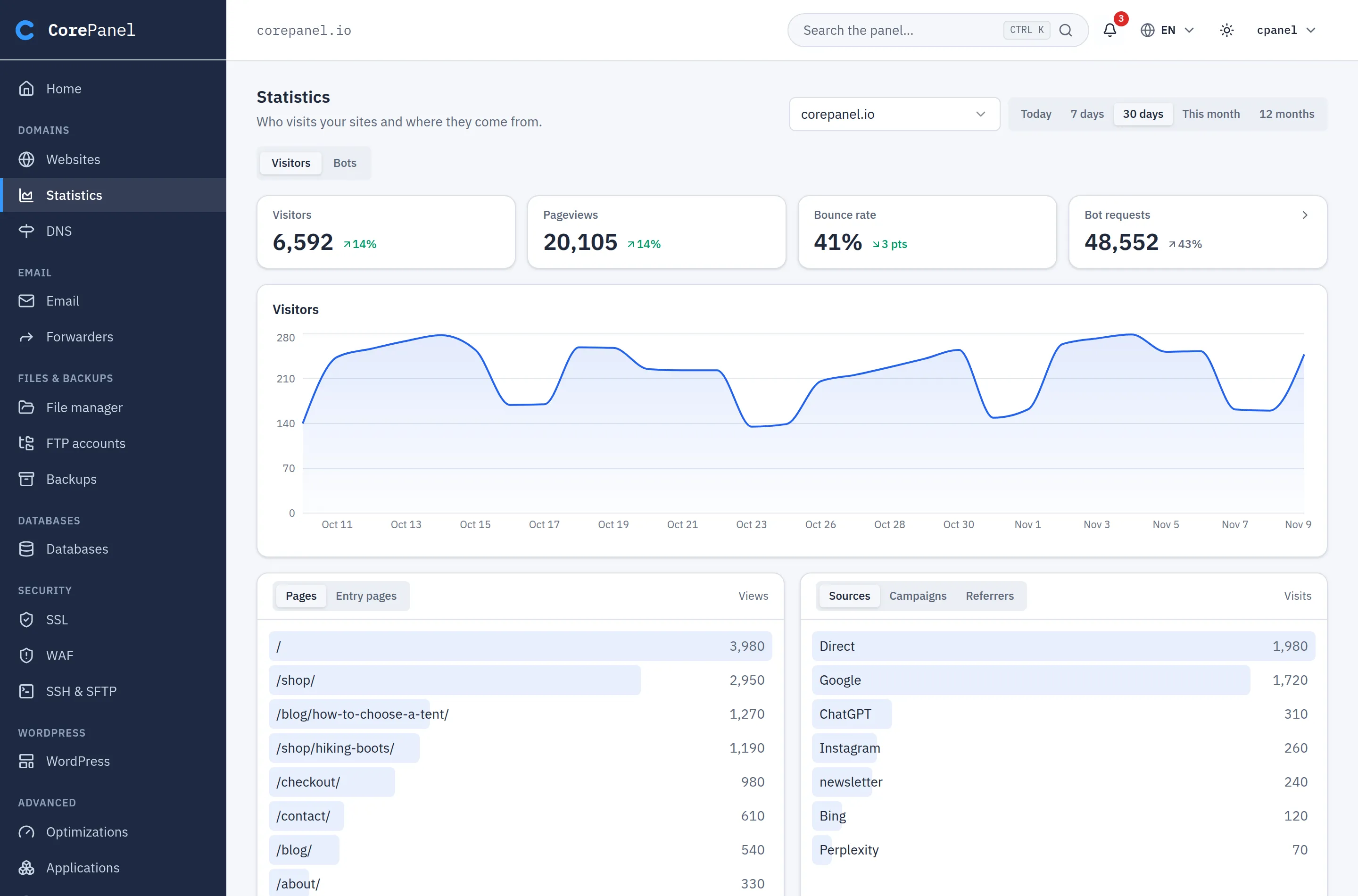
- Pick a site and a range at the top: today, yesterday, 7 days, 30 days, this month, last month or 12 months. The small arrow next to each figure compares the finished days of the range with the same number of days just before them; it does not appear for today, or before there is enough history to compare. Bounce rate changes in points.
- Sources names where each visit came from: a search engine, a social network, an AI
assistant (ChatGPT, Perplexity, Claude…), a webmail, another site or nowhere (Direct).
Links tagged with
utm_source,utm_mediumandutm_campaignshow up under Campaigns. - Visitors and Bots are two views of the same site. Recognised search engines, AI crawlers and other automated clients do not count as visitors; the Bot requests figure shows how many requests they made, and clicking it opens the Bots view, where you see who they are and can block them.
- Aliases are counted under the site they point to.
Filters
Section titled “Filters”Click any row of a list to narrow the whole page to the visits it names. Click ChatGPT in Sources and every figure, the chart and the other lists show only the visits that came from ChatGPT: which pages they read, from which countries, on which devices. Add a second row to combine both; each filter appears above the figures, with an × to remove it.
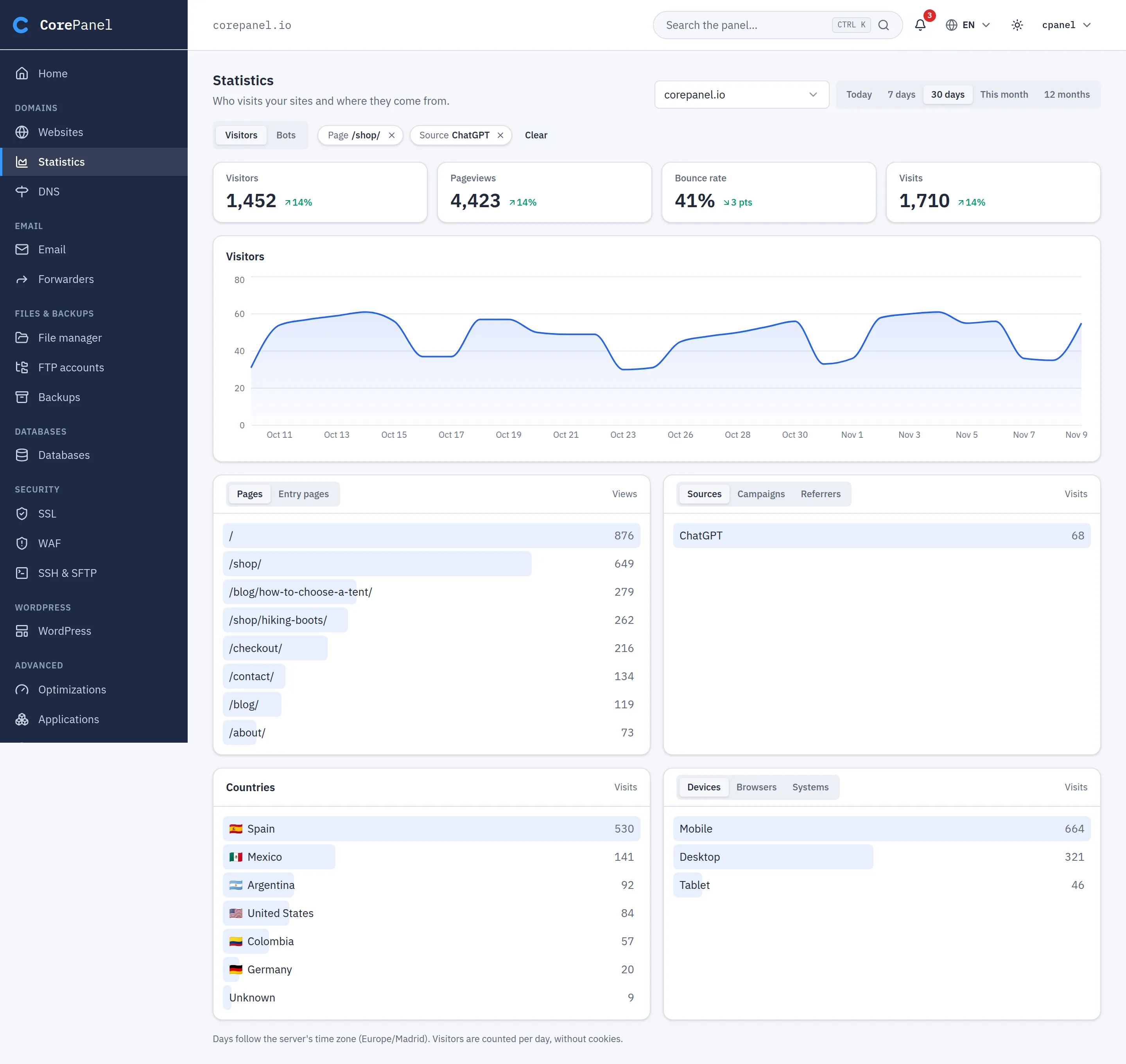
- A page filter keeps the visits that viewed that page at any point. Any other filter looks at where the visit started: its source, campaign, country and device.
- Filters apply to visitors only. Bots and errors are requests, not visits: while a filter is on, the bot figure is replaced by the number of visits, and the Bots view shows the whole site. The filters stay set and come back when you return to Visitors.
- 12 months shows the whole site: filters work on ranges of up to 90 days, the detail the panel keeps per visit.
- The filters are part of the address, so a link to the page opens it filtered, and Back removes the last one you added.
- When some days of the range have no per-visit detail (before it began, or a day busier than the panel keeps detail for), a note under the lists says filtered figures are short.
- A long range with several filters on a very busy site can take too long; remove a filter or pick a shorter range.
- After a day closes, its rarest pages, sources and campaigns are grouped under Other, in the lists and in the filters alike.
Bots and AI
Section titled “Bots and AI”The Bots view, next to Visitors at the top of the page, counts requests rather than visits: what crawlers fetch, and the site’s errors. Its figures are the bots’ requests, their share of the site’s requests, the data they were sent and the site’s server errors, over a chart of bot requests. Below, the Bots & AI card lists every crawler that visited the site, with its requests, the data it was sent and a small chart of that transfer per day. Most crawled lists the pages bots fetch most, with their transfer.
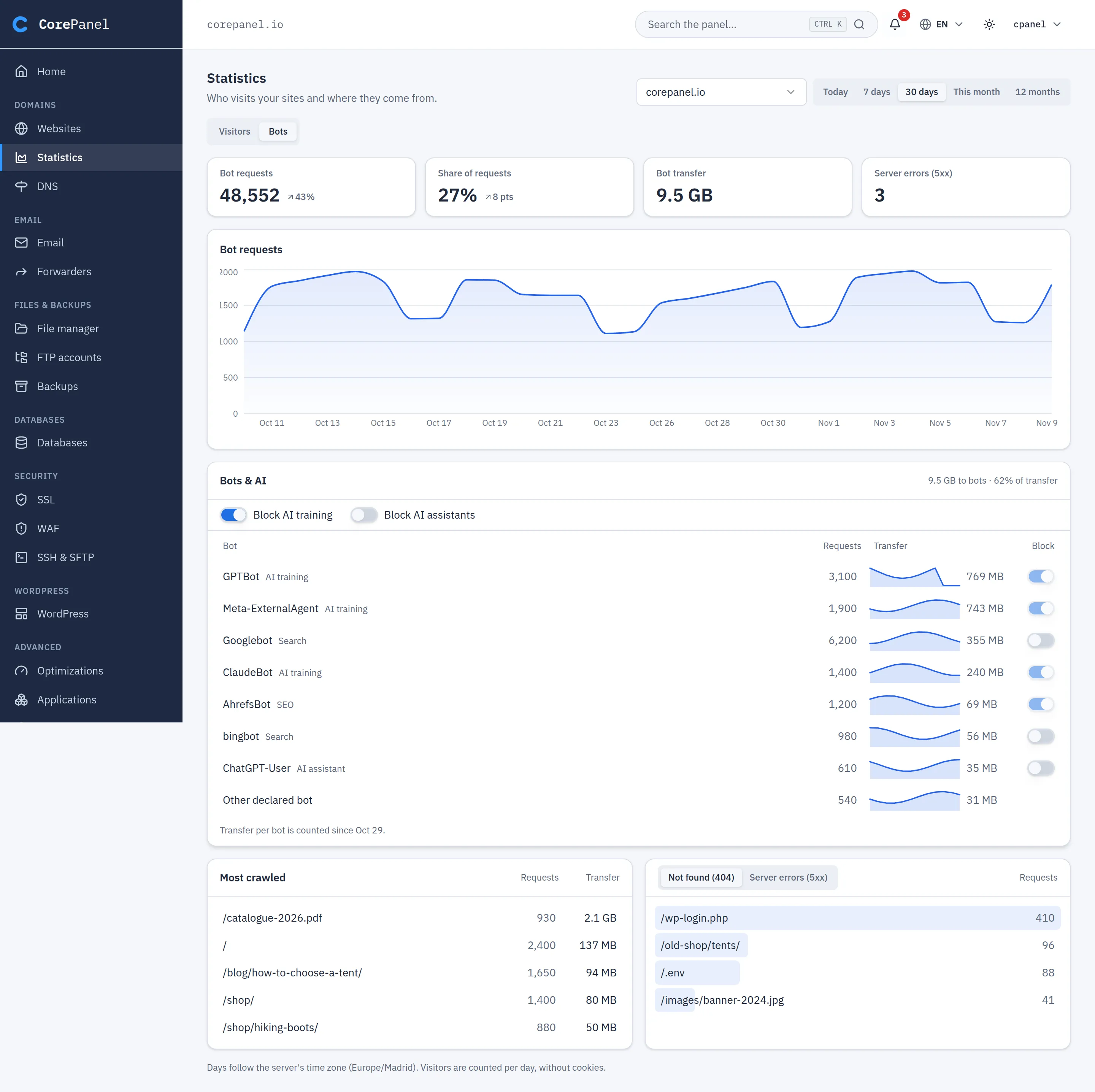
- Block AI training turns away the crawlers that collect pages to train AI models (GPTBot, ClaudeBot, CCBot, Meta-ExternalAgent…). Block AI assistants turns away the ones that fetch a page because someone asked an assistant about it (ChatGPT-User, Perplexity-User…): blocking them also keeps the site out of those answers.
- Each bot’s switch blocks that bot alone. Blocking a search engine asks first: the site drops out of its results.
- A blocked bot gets a 403 Forbidden on every page except
/robots.txt. The block matches the bot’s name and never bans an address, so people who share that address are not affected. - AhrefsBot, SemrushBot, MJ12bot and DotBot show as blocked already: the WAF turns them away on its own (rule BOT-003, answering 412), unless the administrator turned that rule off.
- Generic entries such as Other declared bot have no switch, because they name no single client.
- Transfer per bot starts on the day the server was updated to this version; the card says so until the range is all after it.
Errors
Section titled “Errors”Not found (404) lists the missing addresses people asked for, which shows broken links and old URLs worth redirecting. Server errors (5xx) lists the addresses that failed. Both count every request, from people and bots alike, and live in the Bots view next to Most crawled, because most 404s come from crawlers and scanners probing for files the site never had.
How visitors are counted
Section titled “How visitors are counted”A visitor is one browser on one site on one day. The panel recognises them by a code made from their address and browser with a random value that is deleted a day or two after the day ends, so it never stores IP addresses and a visitor cannot be followed from one day to the next. Each visit is kept as its starting page, source, campaign, country and device, the pages it viewed, and a number that only tells that day’s visitors apart. Two people behind the same connection and browser count as one.
What it cannot see
Section titled “What it cannot see”- Pages served by a CDN cache (Cloudflare, for example) never reach the server, so a site behind one shows fewer visits than it gets.
Days follow the server’s time zone. Statistics are kept day by day for 90 days and month by month for two years.