Web Serving Modes
Every domain and subdomain has a serving mode. It decides one thing: what happens when a request arrives for a path that does not exist as a file in the document root.
That single decision is the difference between WordPress permalinks working or 404-ing, and between a React route reloading correctly or breaking on refresh.
The three modes
Section titled “The three modes”| Mode | A missing path… | Use for |
|---|---|---|
| Plain (default) | 404s immediately | Static sites and classic PHP sites, where a missing file is an error |
| CMS | is routed to /index.php | WordPress, Laravel, Drupal, Symfony — any front-controller app |
| SPA | falls back to /index.html | React, Vue, Angular, Svelte builds with client-side routing |
In every mode, an existing file or directory is served directly; the mode only governs the fallback.
Why Plain is the default
Section titled “Why Plain is the default”Because the two ways of guessing wrong are not comparable.
If the site is in Plain mode and it needed CMS, you find out immediately: the home page works, the first inner link 404s, and one selector fixes it. The failure is loud, local and cheap.
If it were the other way round — a fallback that serves something for every unknown path — a static site would answer 200 with its home page for every broken link, every old URL and every crawler request. Nobody opens a ticket about that. The site just quietly loses indexing while looking fine.
So the default fails closed: a path that matches no file is reported as missing, because that is what it is. When CorePanel installs the application itself — WordPress, for instance — it sets CMS on that domain for you, so the case where the answer is actually known does not depend on anyone remembering.
When to change it
Section titled “When to change it”- CMS — the app routes its own URLs: WordPress with pretty permalinks, Laravel, Drupal, Symfony. Set automatically when CorePanel installs the app.
- SPA — a client-side-routed build, so a deep link reloads into the app instead of 404-ing.
- Plain — leave it as it is for a static site, or come back to it when a site stops being an app.
Changing the mode
Section titled “Changing the mode”- On creation — the Web mode field of the account, domain or subdomain form (from
the CLI,
--web-modeoncorepanel domain addandcorepanel subdomain add). - Afterwards — open the account, go to Domains or Subdomains, and use the edit button on the row. The settings dialog opens with Web mode at the top.
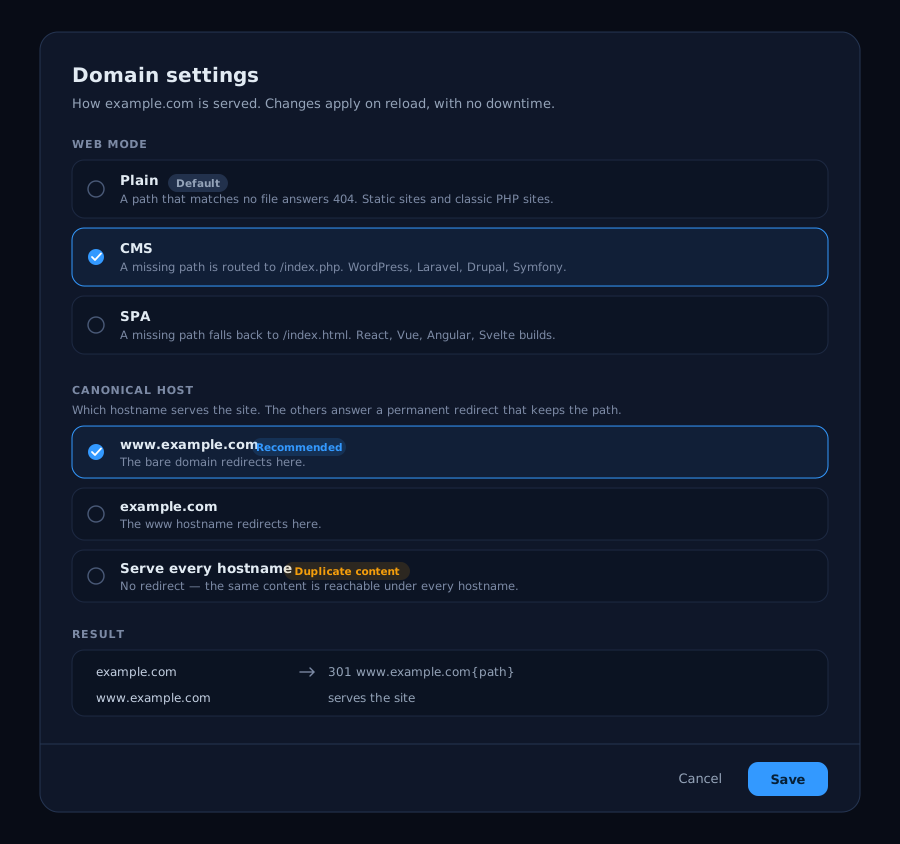
For a domain, the same dialog also holds its canonical host; a subdomain has only the mode, since it answers under a single hostname.
The change is written to the site configuration and applied on reload; no restart, no downtime.
Modes and reverse proxy routes
Section titled “Modes and reverse proxy routes”The serving mode governs the document root. A reverse proxy route
takes precedence on the paths it covers: those requests are forwarded to your service and
never reach the fallback. A typical SPA-plus-API domain uses SPA mode for the app plus a
route on /api/* for the backend.
Troubleshooting
Section titled “Troubleshooting”| Symptom | Likely cause |
|---|---|
| WordPress home page works, inner pages 404 | The site is in Plain mode. Switch to CMS. |
| SPA works, reloading a deep link 404s | The site needs the SPA fallback. |
| A missing page shows the home page instead of a 404 | The site is in CMS or SPA mode, and its fallback is doing its job. If you want real 404s on missing paths, use Plain. |
| A file that exists is not served | Not a mode problem — check the path, ownership, and that it is under the right document root. |