WordPress, applications and WAF
These three sections cover what runs on a customer’s sites and what protects them. WordPress is handed over in full, Applications is split between you and the customer, and the WAF is something they can watch but not configure.
WordPress
Section titled “WordPress”What the customer gets. The whole WordPress Manager for their own sites, with nothing removed: install or adopt a site, open wp-admin with a one-time link, update, harden, check integrity, toggle maintenance and debug, and manage restore points.
The limits are the same as yours: installs per account and stored restore points per account.
Two notes for support:
- Install asks for a domain by name. Anything that is not theirs is refused, so a typo is an error, not an install in the wrong place.
- Detaching is not deleting. The site leaves the managed list but its files stay; a rescan adopts it again.
Applications
Section titled “Applications”The one section split between you and the customer.
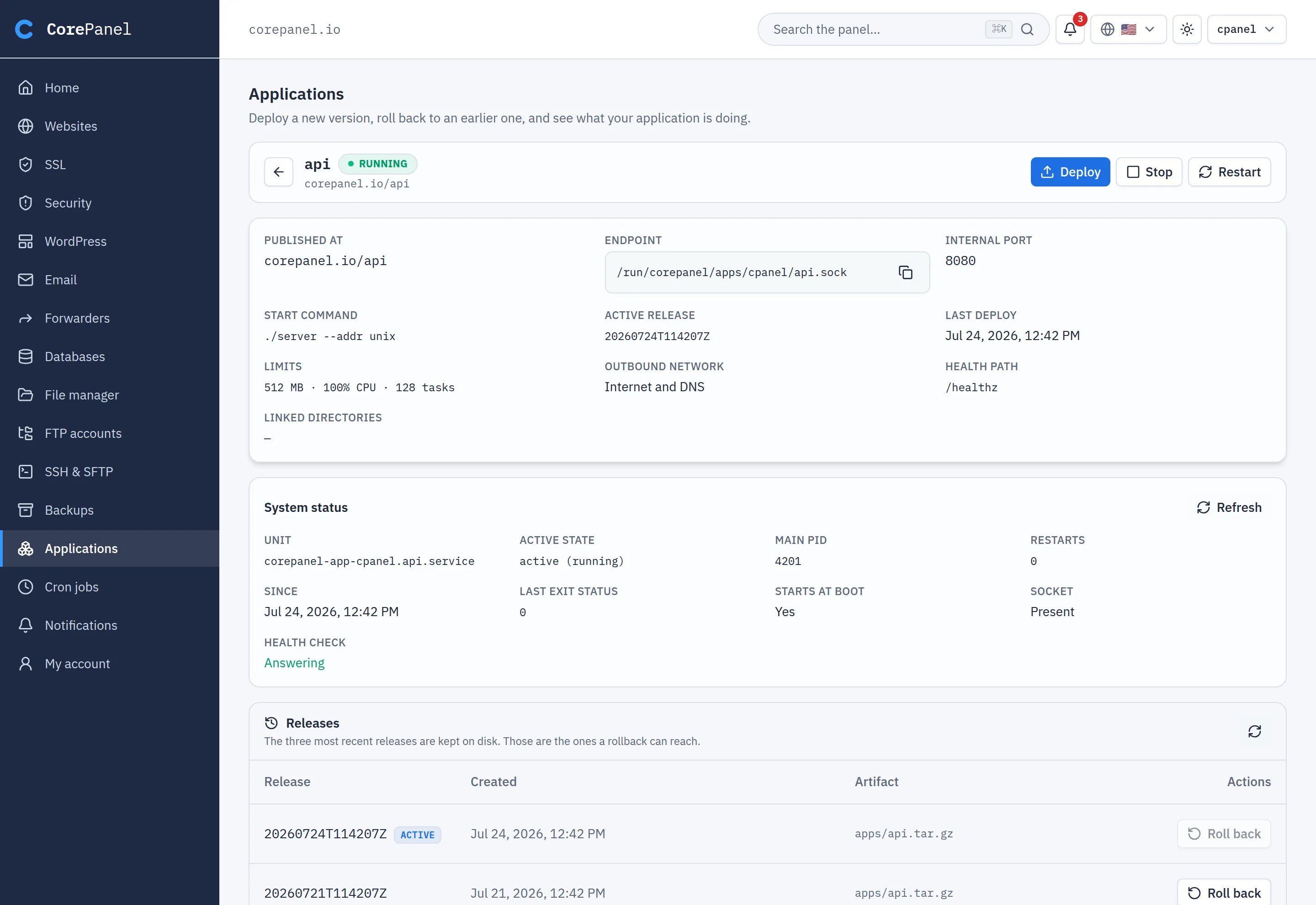
Yours: creating, changing and deleting an application — the program it runs, its memory and CPU, where it is published and its CI deploy token. The customer never sees those buttons.
Theirs: everything afterwards.
- Deploy a
.tar.gz(upload or from their home). A release that does not answer is rolled back automatically. - Roll back to an earlier release, start, stop, restart, and read the journal.
- The environment — add, change, remove and reveal variables. Reveals are audited.
Size it with your disk in mind. Releases unpack under /opt/userapps/, outside the
account’s quota. Each application keeps up to four releases of up to 8 GiB each, so the
worst case per account is that times its Applications allowance. An allowance of 0
means none, and the section says so.
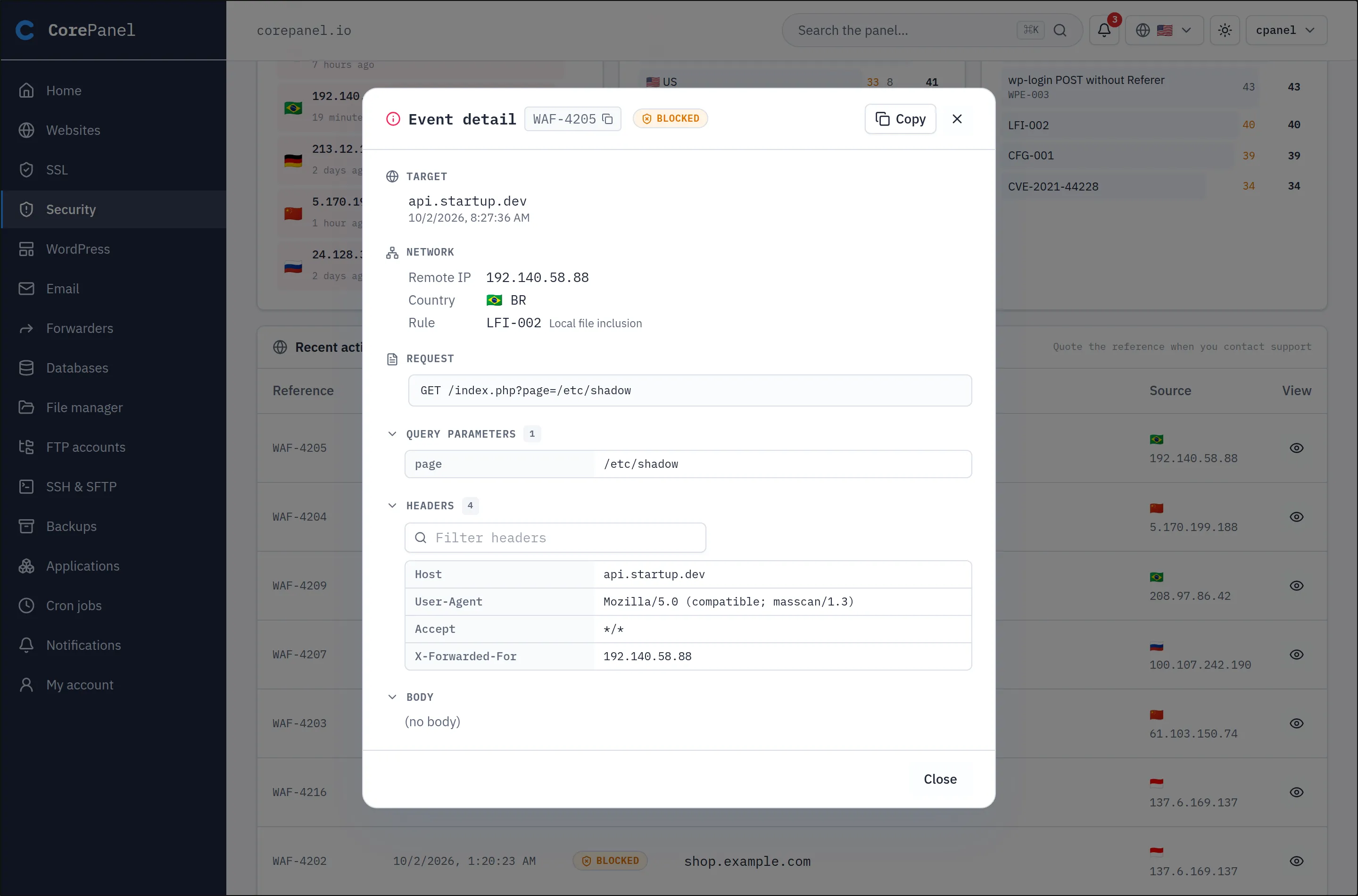
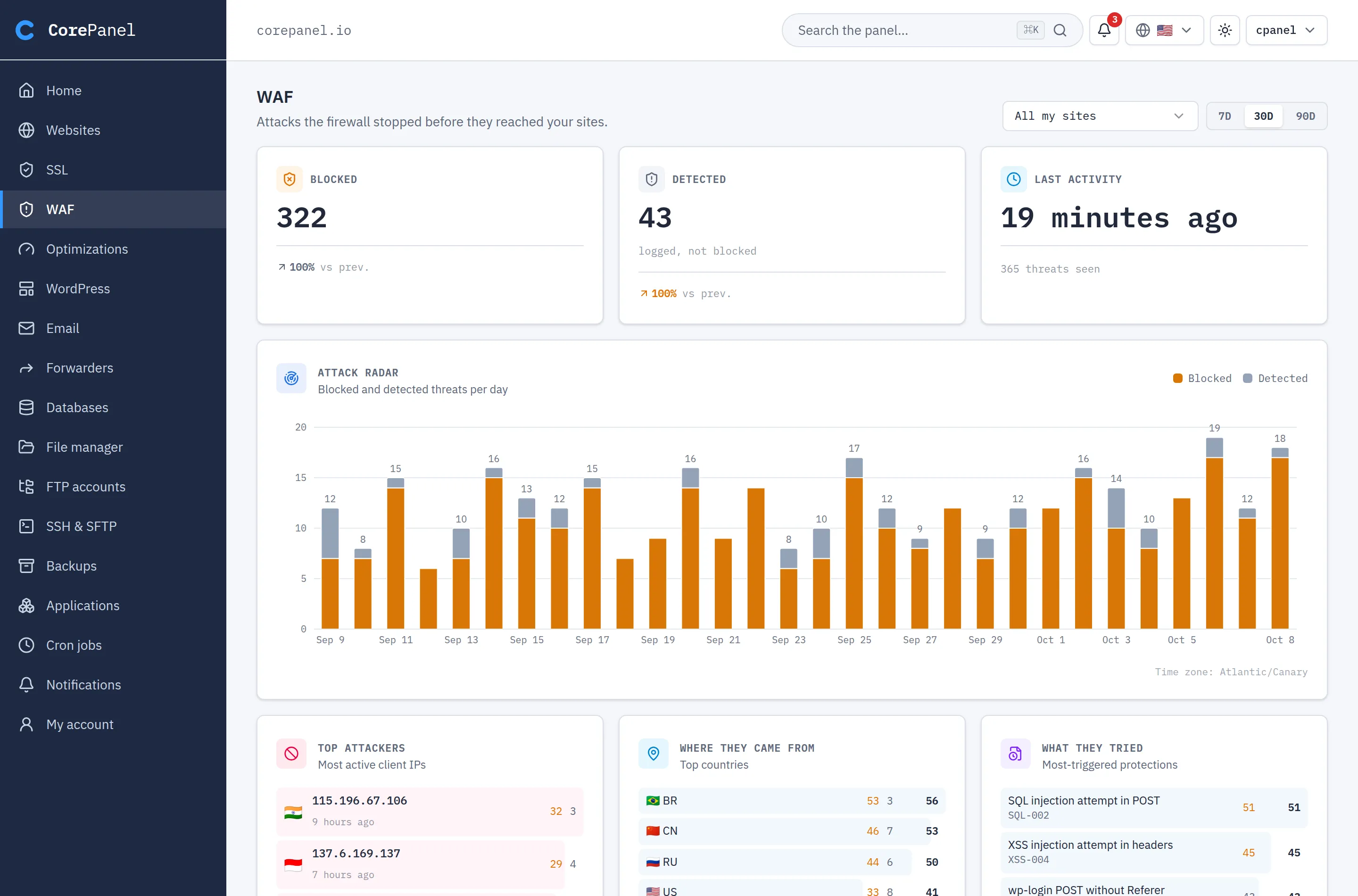
What the customer sees. The WAF activity on their own sites: blocked and detected counts, a per-day chart, top attacking addresses and countries, the protections that fired, and the latest events with the full request. In icon view it is under Security, and a banner on the home page shows the month’s blocked attacks.
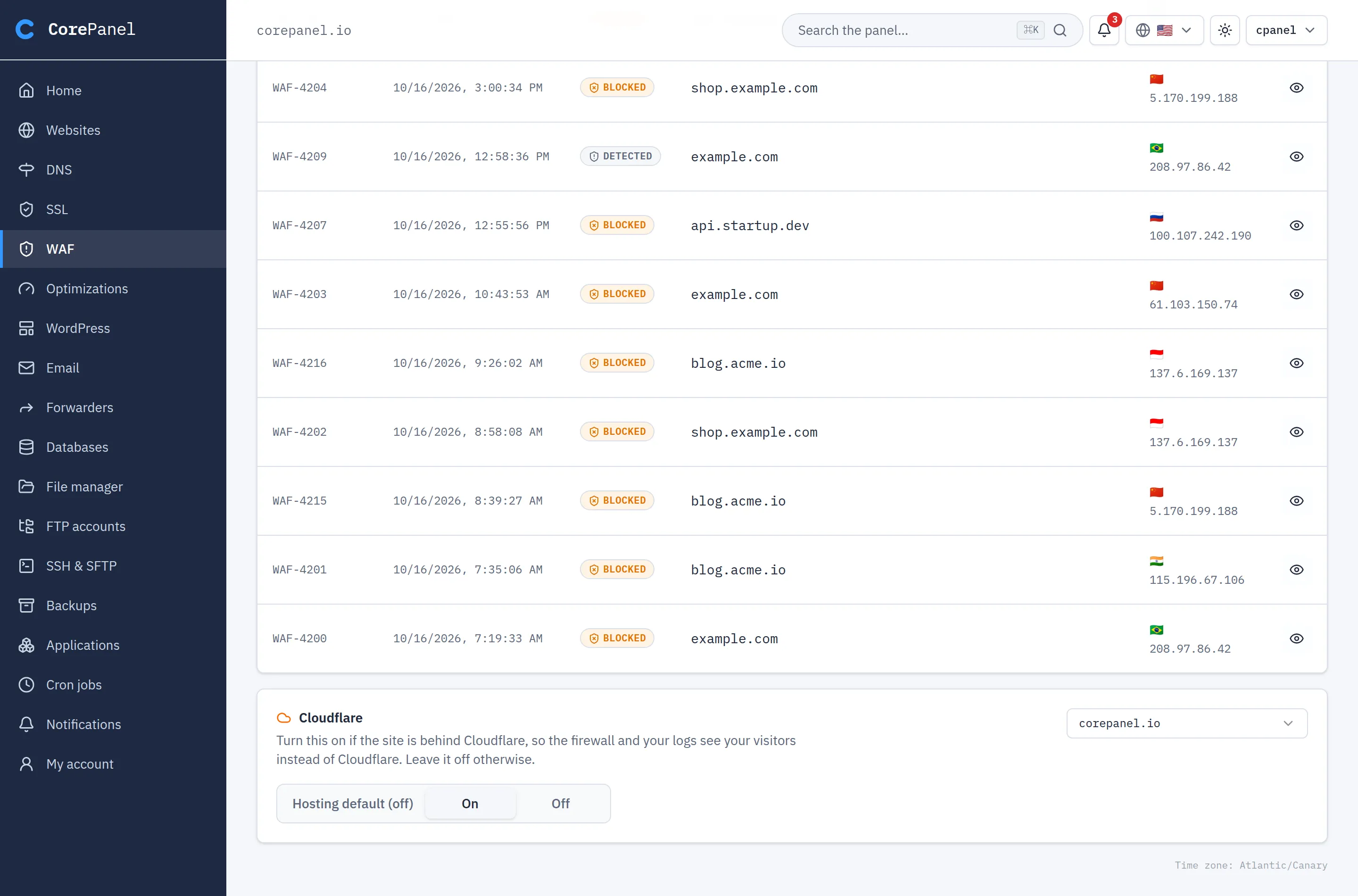
Cloudflare is the one setting they control. At the bottom of the page, a customer whose site is behind Cloudflare sets it to On, so the firewall, the logs and PHP see their visitors instead of Cloudflare’s addresses. Hosting default follows what you set server-wide in WAF › Proxies, which you can also override per site.
What stays with you. Everything else that configures the WAF: protection packages, rule toggles, exceptions, trusted IPs and proxies. A customer cannot switch a rule off for themselves.
The event reference is how they report a false positive. Every event carries one,
such as WAF-1284391, copyable with one click. Paste it into the Reference field of
your event log to land on that exact request, then write the
exception.