The Email section is where a customer runs the mailboxes of their own domains, and Forwarders is where they decide what happens to mail no mailbox answers. Both are the same screens you use, limited to the account’s domains.
What the customer manages
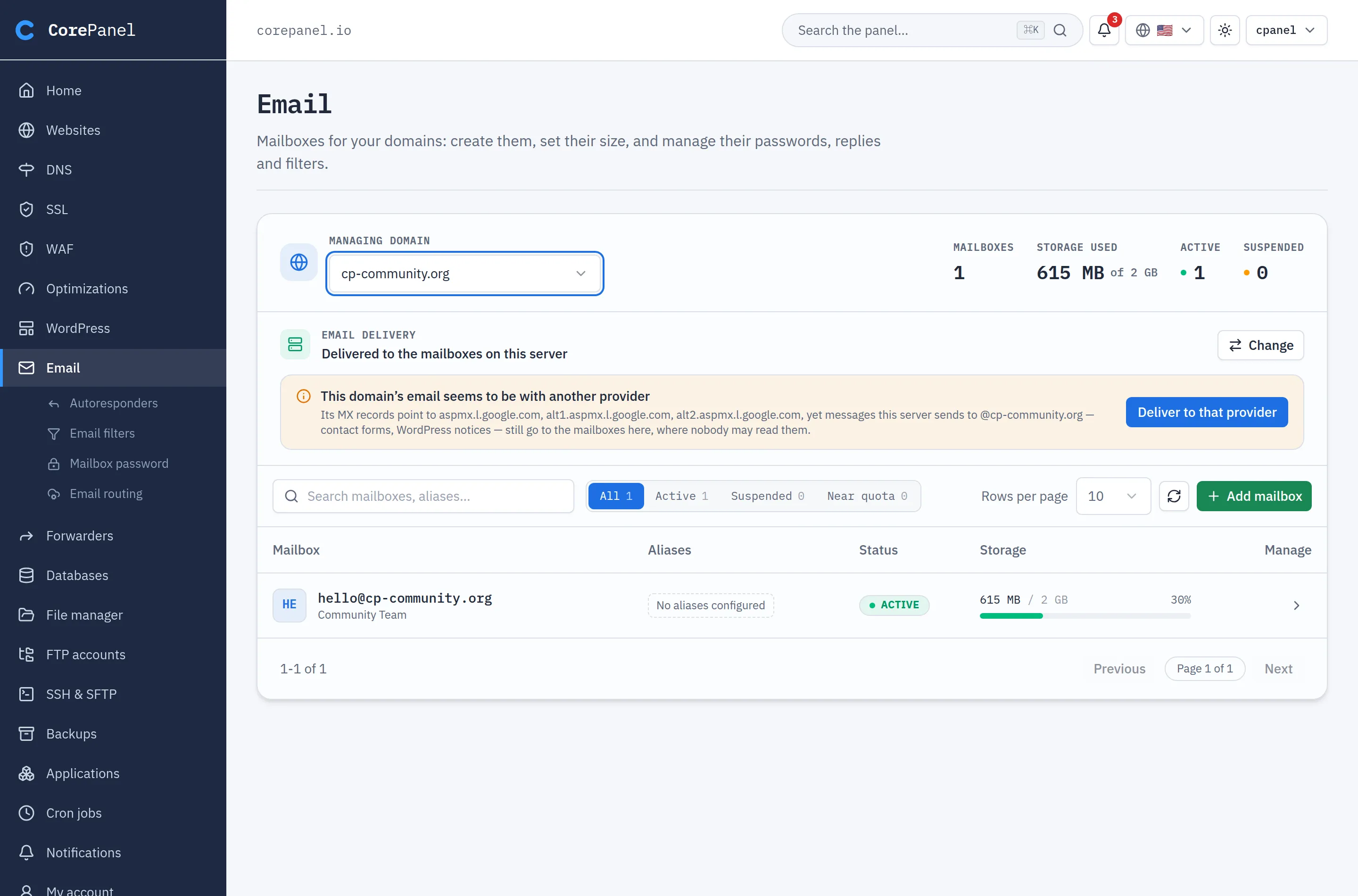
Section titled “What the customer manages”- Mailboxes — create and delete them, set their size, change their password, suspend one, and per mailbox its aliases, autoresponder, filters and the settings to connect a phone or mail app.
- Forwarders, catch-all and whole-domain redirect, on their own page next to it.
The domain picker lists the account’s primary domain, aliases and addons. Subdomains never
appear: mail for blog.example.com is mail for example.com.
Where mail is delivered
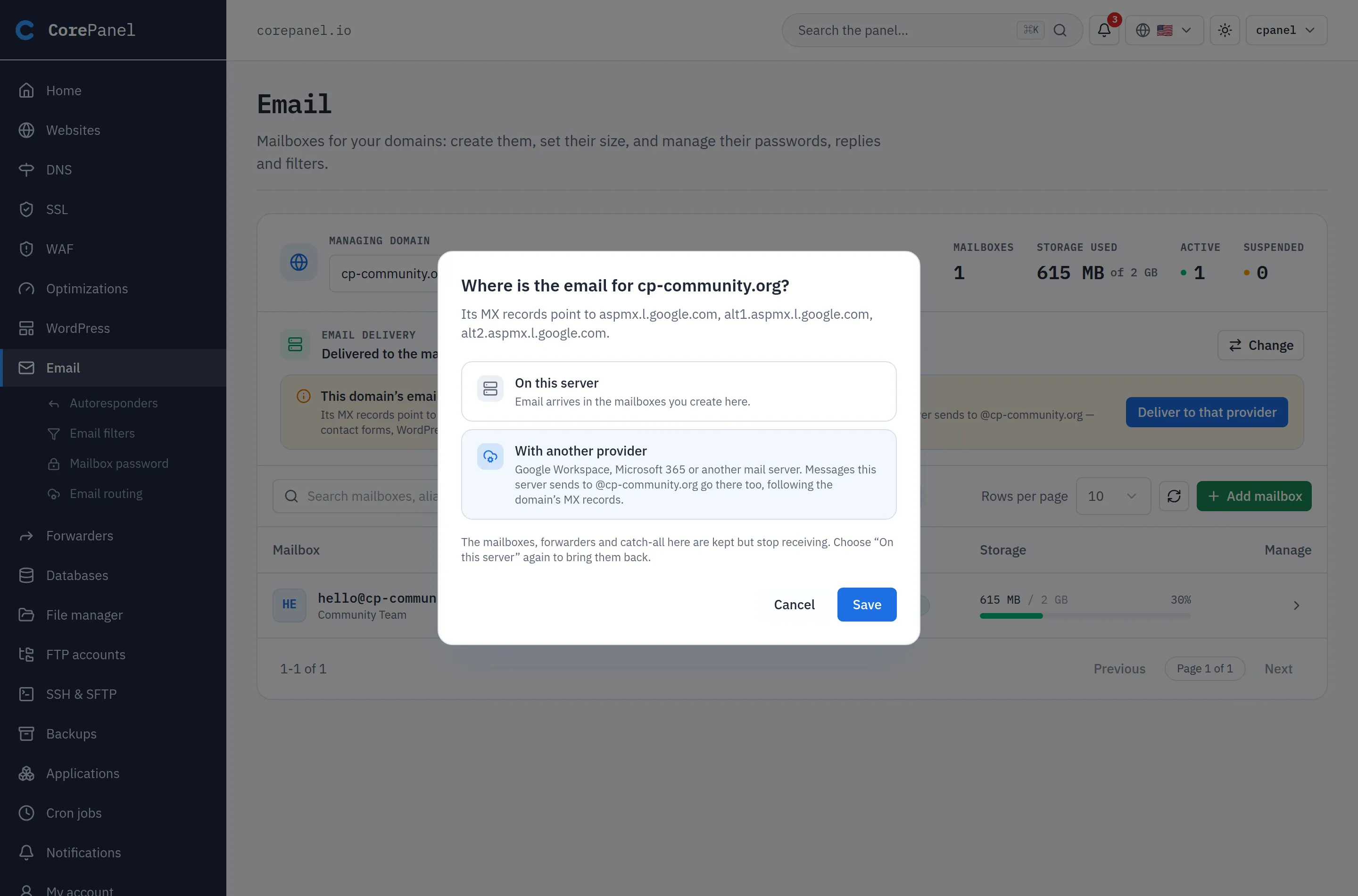
Section titled “Where mail is delivered”A customer who moved to Google Workspace or Microsoft 365 sets Email delivery → With another provider (details). From then on, mail this server sends to that domain — contact forms, WordPress notices — follows the MX instead of landing in local mailboxes.
- The page suggests it when the MX already points to a known provider.
- The DNS task Use another email service switches it in the same step.
- A domain the provider made a backup MX shows “This server is the backup MX”, and the customer cannot change it.
What stays with you
Section titled “What stays with you”- Anti-spam. The thresholds and allow/deny lists are not in the client panel. A customer losing mail to the filter asks you, and you adjust it per mailbox.
- Email authentication. DKIM keys are generated and rotated by the server, and the customer sees them locked in DNS. SPF is the exception: they edit it with DNS → Choose who sends my email.